
Opal Review: Introduce Friction to Combat Distraction
Your attention is your most valuable asset. This tool can help you protect it.

Do you know what your most valuable asset is?
I’ll give you a hint: it isn’t money.
Your most valuable asset is your time, and by extension, your attention. That’s why social media companies have worked so hard to make their platforms as addictive as possible. The more time you spend mindlessly scrolling, the more money they make.
To be successful in the digital age, you have to master the art of protecting your attention.
Cal Newport writes about this extensively in his book, Digital Minimalism. His core argument isn’t so much that you need to eliminate distracting technology but you should put boundaries in place to limit how much technology intrudes on your life.
Opal is an example of a productivity tool that can help you do just that.
This article is a review of Opal based on my personal experience using the app. It’ll walk you through how it works and whether or not you should consider using it as part of your own productivity stack.
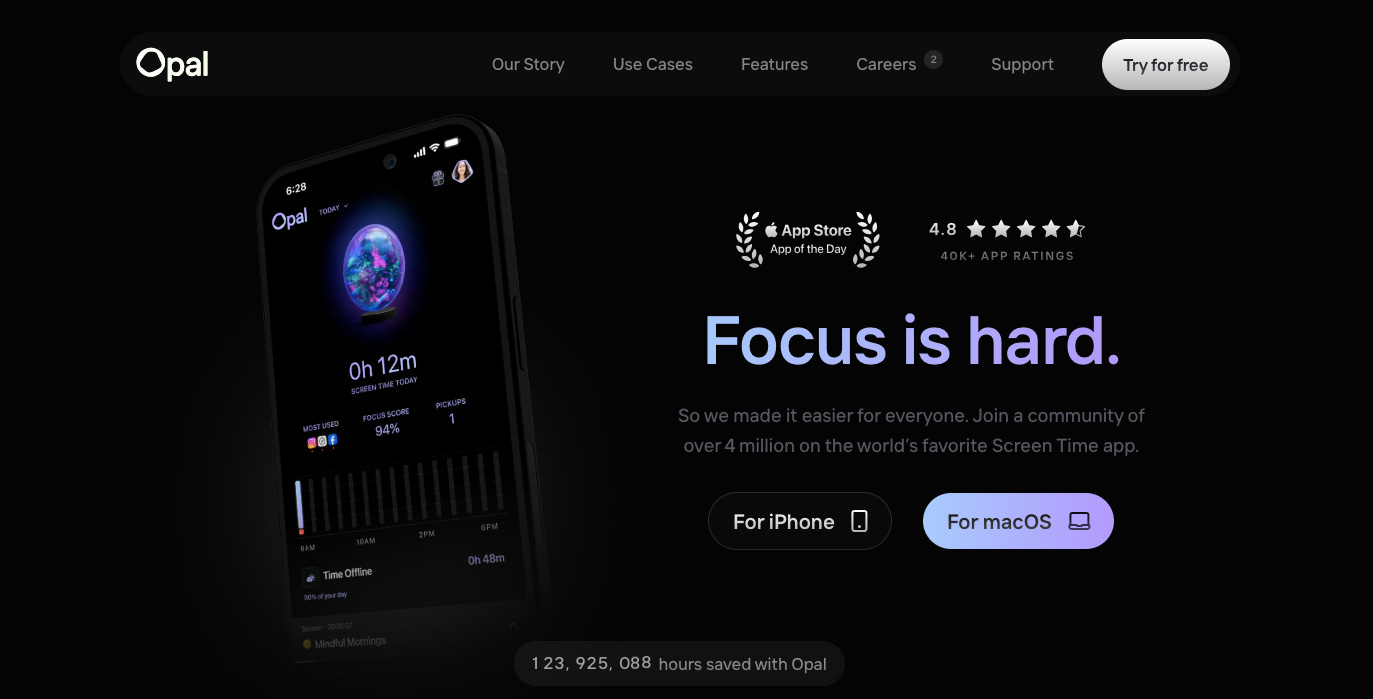
Opal is an app that blocks distracting apps to help you focus
Opal is an app and browser extension that helps you minimize distractions. It’s effectively a screen management tool that helps you monitor and manage how you spend your time online.
Opal’s key features include:
Designating work times or sessions
Locking distracting apps
Setting a daily app limit
Creating schedules by establishing recurring distraction-free sessions
I use the work time feature as well as setting an app limit on certain apps on my phone. I set a daily work schedule from 9 am to 5 pm that limits which sites I can access.
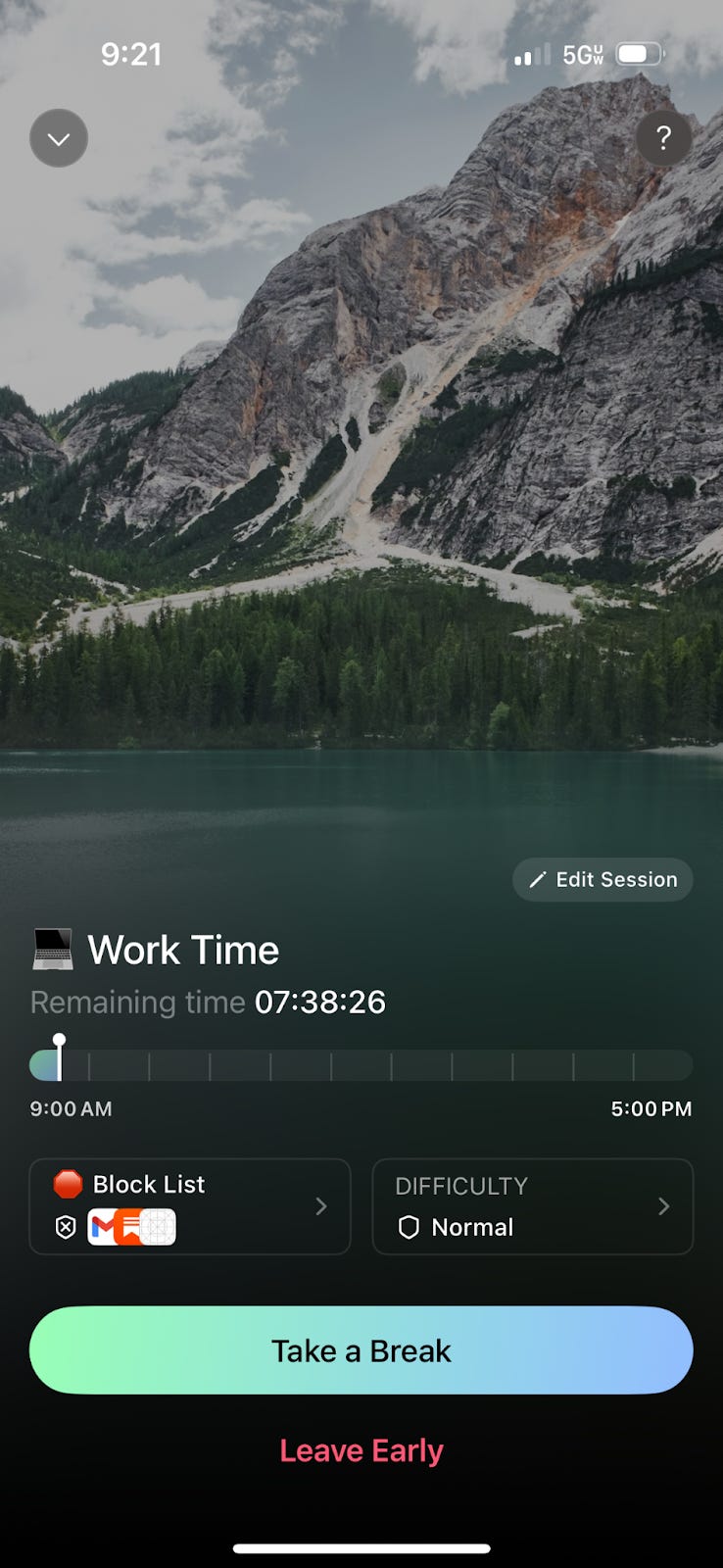
Personally, I limit access to apps like LinkedIn, Gmail, and Substack. While you might consider these essential apps, I actually find that they are incredibly distracting.
When I feel financial stress I constantly refresh apps like Gmail and Substack. I’m looking for notifications of new work from editors or new subscribers to my publications. I found this behavior not only distracting but incredibly unhealthy. It did absolutely nothing to get me out of negative thought loops and to be quite honest, made it easier for those thought loops to fester.
Opal introduces friction to limit how I interact with these apps but it doesn’t completely cut me off from the outside world. When I want to take a break or unlock the app, I can.
Depending on your preferences, you can adjust the difficulty settings within the app to make it harder to take breaks. I’ll dive into this more in a bit.
While Opal is a good productivity tool for work, it can also help you create boundaries to protect your private life. Aside from setting a daily work session, Opal also offers a few other recommended distraction-free blocks:
Deep work session
Dinner with family
Digital Sabbath
Evening wind down
During these times you can limit access to email or iMessages, making it easier to focus on whatever it is you’re focusing on.
Aside from blocking distracting apps, Opal also collects important data about your digital well-being. It tells you:
Screen time
Time offline
Number of times you pick up your phone
Distracting vs. productive (which apps you’re using the most)
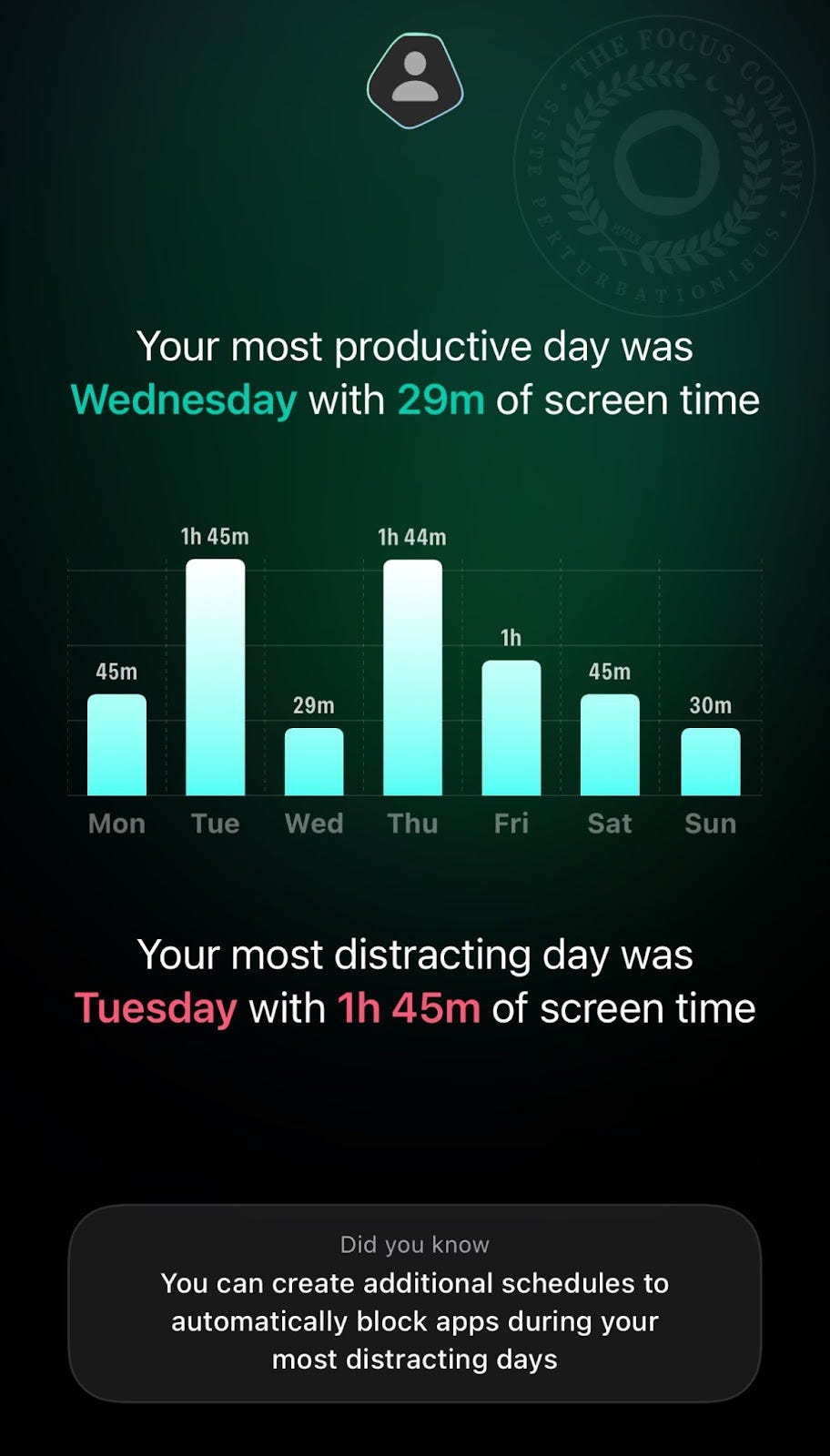
This is helpful information to use if you decide to audit your time or declutter the apps on your phone. Opal gives you a weekly screen report that tells you how much time you’re spending on your phone each day. This can help you spot patterns and restructure your work days accordingly.
Last week, Tuesday and Thursday were my most distracting days. This signaled to me that I either need to start paying attention to how I use my phone on Tuesdays and Thursdays or start planning different types of work on those days.
You might not realize it but the average person spends around 4 hours 37 minutes per day on their phone.
Whether you use the native digital well-being app on your phone or a third-party app like Opal, it’s important to understand how much time you’re spending on your phone and what apps you’re using. Some of the time might be justified, but if you aren’t aware of how you’re allocating your time to begin with, it can be difficult to make any adjustments to improve your productivity.
One final thing to note about the app itself is the social nature of it. While there isn’t a native social media feature, per se, there is a way to add friends or coworkers and gamify productivity.
In your profile you can see where you rank compared to other users in your age group as well as how you compare with friends.
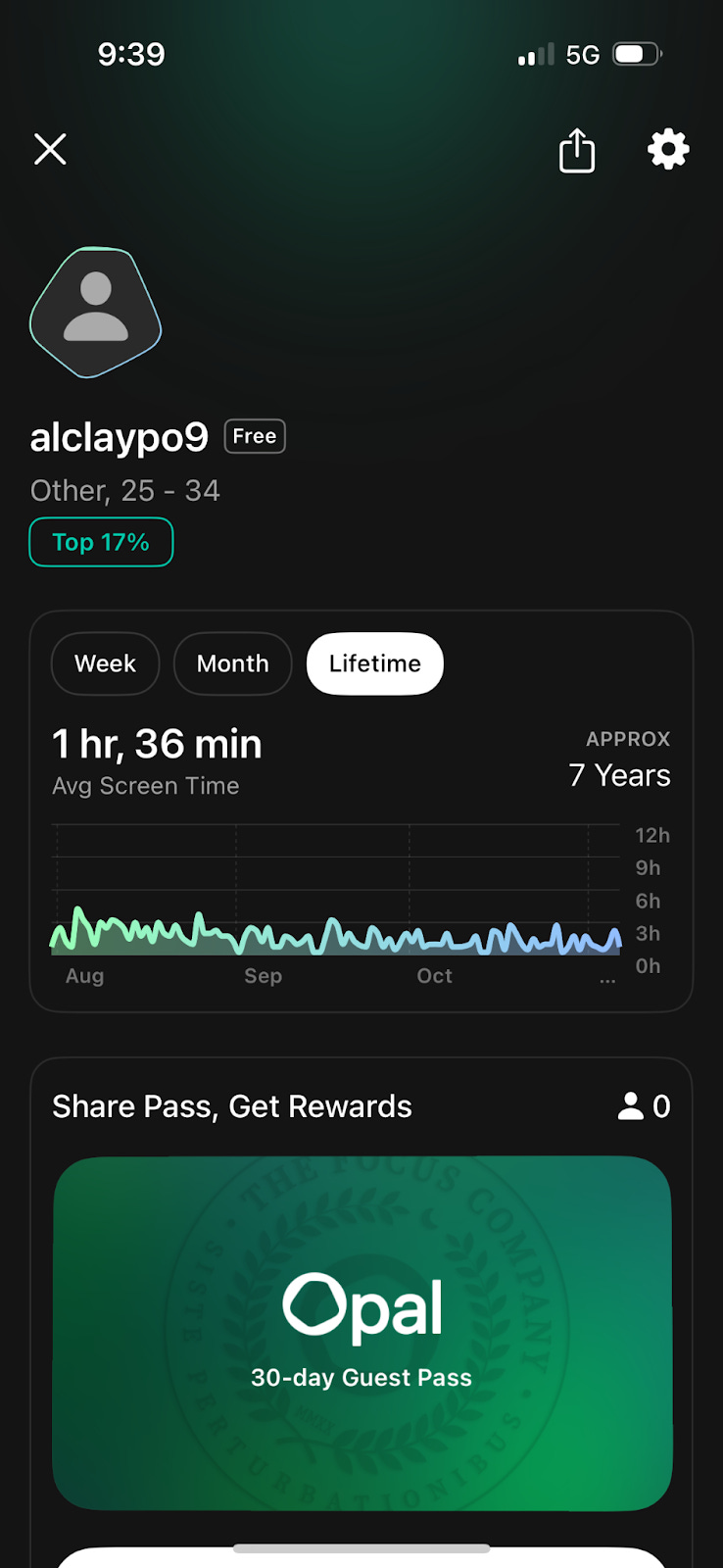
I personally don’t find this information useful but if you are someone who likes to compete with others, this can be a good motivator to use the app seriously.
Opal creates friction, helping you cultivate better habits
Opal is a tool that is designed to help you create better habits. It does this by creating friction, something James Clear talks about in his book Atomic Habits.
By making bad habits unappealing, Opal makes it harder to do the bad habit.
One of the ways Opal does this is by leveraging the 7-second rule. Before you can unlock an app or pause a work session, Opal will first initiate a 7-second countdown.
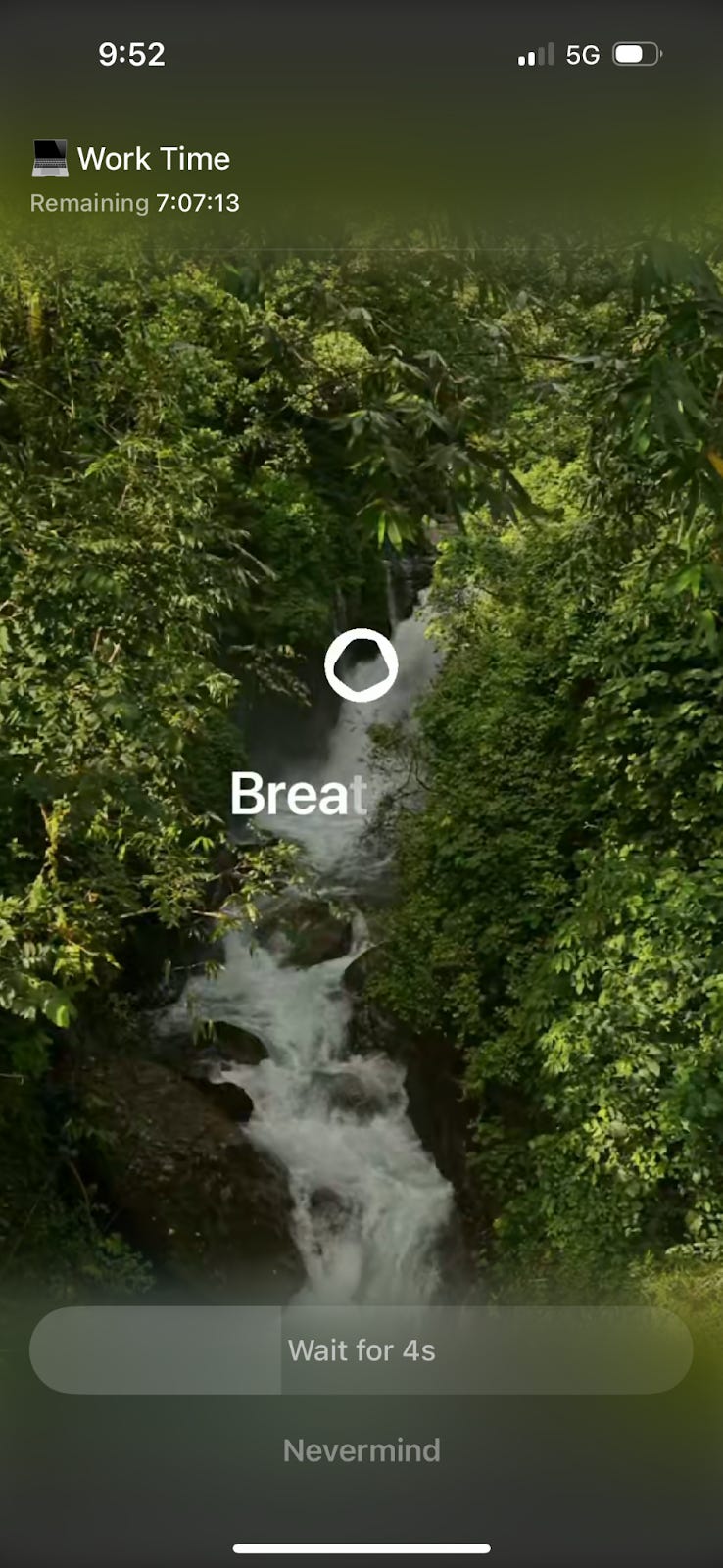
This gives you the opportunity to take a strategic pause before continuing with your intended action. Depending on how badly you want to open an app, waiting 7 seconds might be enough to dissuade you, helping you stay focused on whatever you’re working on.
Adding limits to the number of times you can open specific apps forces you think strategically about your app usage. Personally, I limit the amount of times I can open Gmail on my phone to three times a day. I often find that I don’t want to “waste” one of my unlocks on an impulse to check my email, reducing the overall amount of time I spend on my phone.
As I mentioned above, you can change the difficulty level – or the amount of friction you create – in the settings. Opal gives you three options to choose from:
Normal
Timeout
Deep Focus
Deep Focus is an option for Opal Pro users and it introduces the most friction. While the Normal setting allows you to reset your unlocks if you go over your daily limit, Deep Focus actually locks you out of your apps. Even if you try to use a distracting app, it will not let you until the session ends or the unlock period resets.
Aside from difficulty level, you can also set the amount of time you want to permit yourself to use each app. This can be for every time you unlock an app or the cumulative amount of time you want to allow yourself to use an app in a given day.
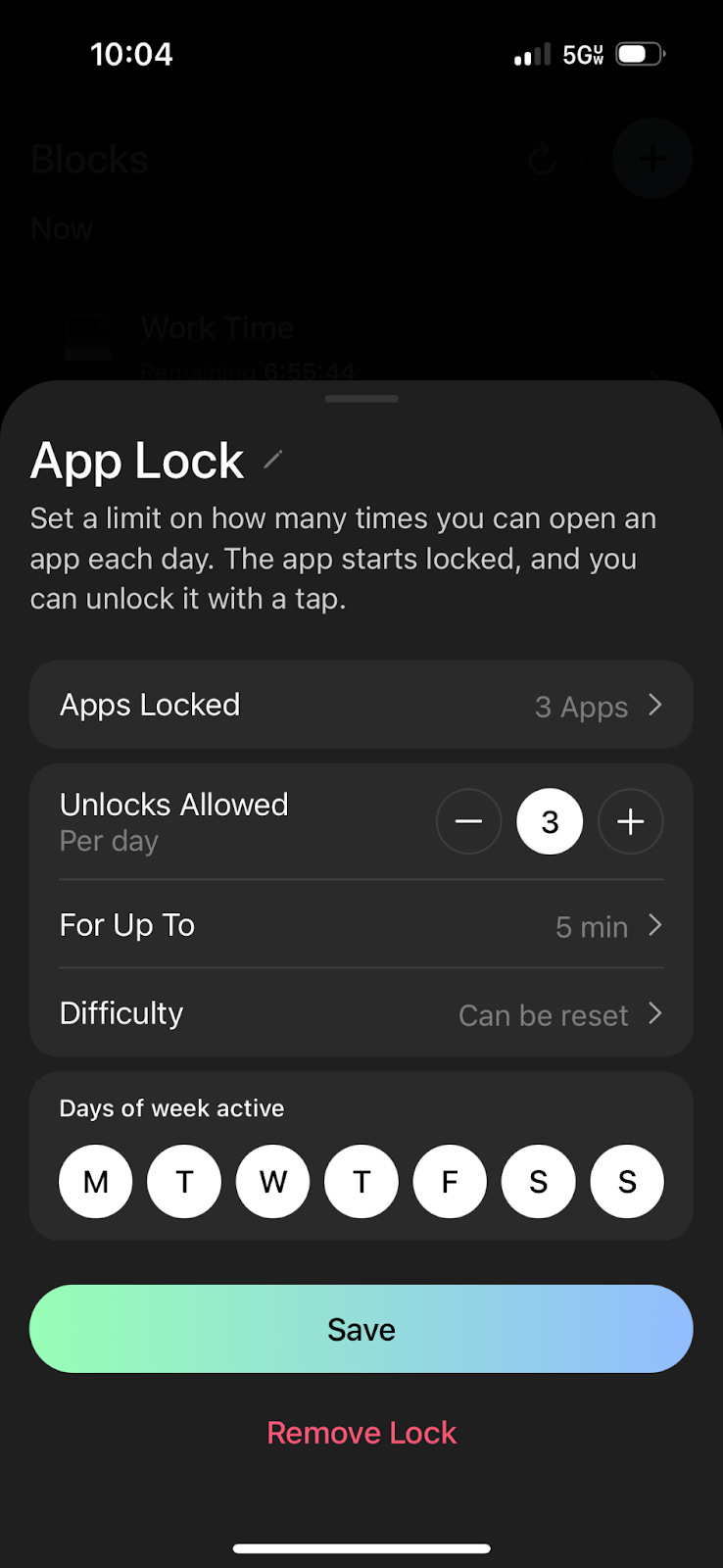
When I give myself breaks, I limit myself to five minutes. After that time is up, Opal relocks my apps and it’s back to work.
As you integrate the Opal into your life and respect the boundaries it creates, it will help you establish better habits over time.
I know I’m limited in the types of apps I can open and how often I can open them so more often than not, I don’t even bother anymore. Rather than letting a bunch of apps govern how I live, Opal helps put me in the driver's seat over how I use technology.
Is Opal worth it?
It’s safe to say that sheer willpower alone is insufficient to build better, more productive habits. Just as you need the right tools to build a home or repair a car, you need tools to help you manage your workflow.
Opal is a tool that helps you enforce boundaries between yourself, your work, and technology. It’s not something you need to use forever but it is something that can help you establish new habits.
I use the free version and I find that meets my needs. If you think you could benefit from the Deep Focus option and more advanced reporting, the annual Opal Pro membership will cost you $99.99.
Overall I do think Opal is worth it. Since I started using the app I’ve cut my screen time in half. By making it harder for me to access certain apps, I’ve also made it more difficult to mindlessly scroll through them and feed my negative thought loops.
You can try Opal for free and if you don’t like it, you don’t have to keep using it. Best case scenario: it helps you cut out distractions. Worst case scenario: you try it and decide it isn’t the right tool for you.
If you do download Opal let me know what you think. Does it help you manage your screen time and help you focus?
Reading Recommendations to Combat Distraction